Category Archives: mysql

Introducing Lightweight MySQL MCP Server: Secure AI Database Access


A lightweight, secure, and extensible MCP (Model Context Protocol) server for MySQL designed to bridge the gap between relational databases and large language models (LLMs).

I’m releasing a new open-source project: mysql-mcp-server, a lightweight server that connects MySQL to AI tools via the Model Context Protocol (MCP). It’s designed to make MySQL safely accessible to language models, structured, read-only, and fully auditable.

This project started out of a practical need: as LLMs become part of everyday development workflows, there’s growing interest in using them to explore database schemas, write queries, or inspect real data. But exposing production databases directly to AI tools is a risk, especially without guardrails.

mysql-mcp-server offers a simple, secure solution. It provides a minimal but powerful MCP server that speaks directly to MySQL, while enforcing safety, observability, and structure.

What it does

mysql-mcp-server allows tools that speak MC, such as Claude Desktop, to interact with MySQL in a controlled, read-only environment. It currently supports:

  • Listing databases, tables, and columns
  • Describing table schemas
  • Running parameterized SELECT queries with row limits
  • Introspecting indexes, views, triggers (optional tools)
  • Handling multiple connections through DSNs
  • Optional vector search support if using MyVector
  • Running as either a local MCP-compatible binary or a remote REST API server

By default, it rejects any unsafe operations such as INSERT, UPDATE, or DROP. The goal is to make the server safe enough to be used locally or in shared environments without unintended side effects.

Why this matters

As more developers, analysts, and teams adopt LLMs for querying and documentation, there’s a gap between conversational interfaces and real database systems. Model Context Protocol helps bridge that gap by defining a set of safe, predictable tools that LLMs can use.

mysql-mcp-server brings that model to MySQL in a way that respects production safety while enabling exploration, inspection, and prototyping. It’s helpful in local development, devops workflows, support diagnostics, and even hybrid RAG scenarios when paired with a vector index.

Getting started

You can run it with Docker:

docker run -e MYSQL_DSN='user:pass@tcp(mysql-host:3306)/' \
  -p 7788:7788 ghcr.io/askdba/mysql-mcp-server:latest

Or install via Homebrew:

brew install askdba/tap/mysql-mcp-server
mysql-mcp-server

Once running, you can connect any MCP-compatible client (like Claude Desktop) to the server and begin issuing structured queries.

Use cases

  • Developers inspecting unfamiliar databases during onboarding
  • Data teams writing and validating SQL queries with AI assistance
  • Local RAG applications using MySQL and vector search with MyVector
  • Support and SRE teams need read-only access for troubleshooting

Roadmap and contributions

This is an early release and still evolving. Planned additions include:

  • More granular introspection tools (e.g., constraints, stored procedures)
  • Connection pooling and config profiles
  • Structured logging and tracing
  • More examples for integrating with LLM environments

If you’re working on anything related to MySQL, open-source AI tooling, or database accessibility, I’d be glad to collaborate.

Learn more

If you have feedback, ideas, or want to contribute, the project is open and active. Pull requests, bug reports, and discussions are all welcome.

Scoped Vector Search with the MyVector Plugin for MySQL – Part II

Subtitle: Schema design, embedding workflows, hybrid search, and performance tradeoffs explained.


Quick Recap from Part 1

In Part 1, we introduced the MyVector plugin — a native extension that brings vector embeddings and HNSW-based approximate nearest neighbor (ANN) search into MySQL. We covered how MyVector supports scoped queries (e.g., WHERE user_id = X) to ensure that semantic search remains relevant, performant, and secure in real-world multi-tenant applications.

Now in Part 2, we move from concept to implementation:

  • How to store and index embeddings
  • How to design embedding workflows
  • How hybrid (vector + keyword) search works
  • How HNSW compares to brute-force search
  • How to tune for performance at scale

1. Schema Design for Vector Search

The first step is designing tables that support both structured and semantic data.

A typical schema looks like:

CREATE TABLE documents (
    id BIGINT PRIMARY KEY,
    user_id INT NOT NULL,
    title TEXT,
    body TEXT,
    embedding VECTOR(384),
    INDEX(embedding) VECTOR
);

Design tips:

  • Use VECTOR(n) to store dense embeddings (e.g., 384-dim for MiniLM).
  • Always combine vector queries with SQL filtering (WHERE user_id = …, category = …) to scope the search space.
  • Use TEXT or JSON fields for hybrid or metadata-driven filtering.
  • Consider separating raw text from embedding storage for cleaner pipelines.

2. Embedding Pipelines: Where and When to Embed

MyVector doesn’t generate embeddings — it stores and indexes them. You’ll need to decide how embeddings are generated and updated:

a. Offline (batch) embedding

  • Run scheduled jobs (e.g., nightly) to embed new rows.
  • Suitable for static content (documents, articles).
  • Can be run using Python + HuggingFace, OpenAI, etc.
# Python example
from sentence_transformers import SentenceTransformer
model = SentenceTransformer("all-MiniLM-L6-v2")
vectors = model.encode(["Your text goes here"])

b. Write-time embedding

  • Embed text when inserted via your application.
  • Ensures embeddings are available immediately.
  • Good for chat apps, support tickets, and notes.

c. Query-time embedding

  • Used for user search input only.
  • Transforms search terms into vectors (not stored).
  • Passed into queries like:
ORDER BY L2_DISTANCE(embedding, '[query_vector]') ASC

3. Hybrid Search: Combine Text and Semantics

Most real-world search stacks benefit from combining keyword and vector search. MyVector enables this inside a single query:

SELECT id, title
FROM documents
WHERE MATCH(title, body) AGAINST('project deadline')
  AND user_id = 42
ORDER BY L2_DISTANCE(embedding, EMBED('deadline next week')) ASC
LIMIT 5;

This lets you:

  • Narrow results using lexical filters
  • Re-rank them semantically
  • All in MySQL — no sync to external vector DBs

This hybrid model is ideal for support systems, chatbots, documentation search, and QA systems.


4. Brute-Force vs. HNSW Indexing in MyVector

When it comes to similarity search, how you search impacts how fast you scale.

Brute-force search

  • Compares the query against every row
  • Guarantees exact results (100% recall)
  • Simple but slow for >10K rows
SELECT id
FROM documents
ORDER BY COSINE_DISTANCE(embedding, '[query_vector]') ASC
LIMIT 5;

HNSW: Hierarchical Navigable Small World

  • Graph-based ANN algorithm used by MyVector
  • Fast and memory-efficient
  • High recall (~90–99%) with tunable parameters (ef_search, M)
CREATE INDEX idx_vec ON documents(embedding) VECTOR
  COMMENT='{"HNSW_M": 32, "HNSW_EF_CONSTRUCTION": 200}';

Comparison

FeatureBrute ForceHNSW (MyVector)
Recall✅ 100%🔁 ~90–99%
Latency (1M rows)❌ 100–800ms+✅ ~5–20ms
Indexing❌ None✅ Required
Filtering Support✅ Yes✅ Yes
Ideal Use CaseSmall datasetsProduction search

5. Scoped Search as a Security Boundary

Because MyVector supports native SQL filtering, you can enforce access boundaries without separate vector security layers.

Patterns:

  • WHERE user_id = ? → personal search
  • WHERE org_id = ? → tenant isolation
  • Use views or stored procedures to enforce access policies

You don’t need to bolt access control onto your search engine — MySQL already knows your users.


6. HNSW Tuning for Performance

MyVector lets you tune index behavior at build or runtime:

ParamPurposeEffect
MGraph connectivityHigher = more accuracy + RAM
ef_searchTraversal breadth during queriesHigher = better recall, more latency
ef_constructionIndex quality at build timeAffects accuracy and build cost

Example:

ALTER INDEX idx_vec SET HNSW_M = 32, HNSW_EF_SEARCH = 100;

You can also control ef_search per session or per query soon (planned feature).


TL;DR: Production Patterns with MyVector

  • Use VECTOR(n) columns and HNSW indexing for fast ANN search
  • Embed externally using HuggingFace, OpenAI, Cohere, etc.
  • Combine text filtering + vector ranking for hybrid search
  • Use SQL filtering to scope vector search for performance and privacy
  • Tune ef_search and M to control latency vs. accuracy

Coming Up in Part 3

In Part 3, we’ll explore real-world implementations:

  • Semantic search
  • Real-time document recall
  • Chat message memory + re-ranking
  • Integrating MyVector into RAG and AI workflows

We’ll also show query plans and explain fallbacks when HNSW is disabled or brute-force is needed.


Scoped Vector Search with the MyVector Plugin for MySQL – Part I


Semantic Search with SQL Simplicity and Operational Control

Introduction

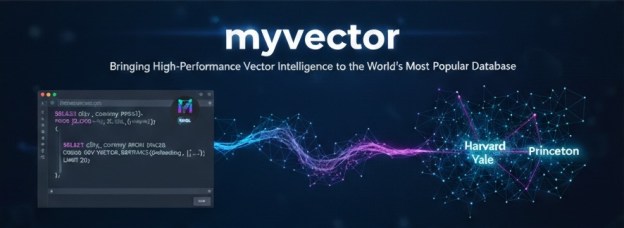
Vector search is redefining how we work with unstructured and semantic data. Until recently, integrating it into traditional relational databases like MySQL required external services, extra infrastructure, or awkward workarounds. That changes with the MyVector plugin — a native vector indexing and search extension purpose-built for MySQL.

Whether you’re enhancing search for user-generated content, improving recommendation systems, or building AI-driven assistants, MyVector makes it possible to store, index, and search vector embeddings directly inside MySQL — with full support for SQL syntax, indexing, and filtering.

What Is MyVector?

The MyVector plugin adds native support for vector data types and approximate nearest neighbor (ANN) indexes in MySQL. It allows you to:

  • Define VECTOR(n) columns to store dense embeddings (e.g., 384-dim from BERT)
  • Index them using INDEX(column) VECTOR, which builds an HNSW-based structure
  • Run fast semantic queries using distance functions like L2_DISTANCE, COSINE_DISTANCE, and INNER_PRODUCT
  • Use full SQL syntax to filter, join, and paginate vector results alongside traditional columns

By leveraging HNSW, MyVector delivers millisecond-level ANN queries even with millions of rows — all from within MySQL.


Most importantly, it integrates directly into your existing MySQL setup—there is no new stack, no sync jobs, and no third-party dependencies.


Scoped Vector Search: The Real-World Requirement

In most production applications, you rarely want to search across all data. You need to scope vector comparisons to a subset — a single user’s data, a tenant’s records, or a relevant tag.

MyVector makes this easy by combining vector operations with standard SQL filters.

Under the Hood: HNSW and Query Performance

MyVector uses the HNSW algorithm for vector indexing. HNSW constructs a multi-layered proximity graph that enables extremely fast approximate nearest neighbor search with high recall. Key properties:

  • Logarithmic traversal through layers reduces search time
  • Dynamic index support: you can insert/update/delete vectors and reindex as needed
  • Configurable parameters like M and ef_search allow tuning for performance vs. accuracy

Under the Hood: HNSW and Query Performance

MyVector uses the HNSW algorithm for vector indexing. HNSW constructs a multi-layered proximity graph that enables extremely fast approximate nearest neighbor search with high recall. Key properties:

  • Fast ANN queries without external services
  • Scoped filtering before vector comparison
  • Logarithmic traversal through layers reduces search time
  • Dynamic index support: you can insert/update/delete vectors and reindex as needed
  • Configurable parameters like M and ef_search allow tuning for performance vs. accuracy

What’s Next

This post introduces the foundational concept of scoped vector search using MyVector and HNSW. In Part II, we’ll walk through practical schema design patterns, embedding workflows, and hybrid search strategies that combine traditional full-text matching with deep semantic understanding — using nothing but SQL.