Tag Archives: ai

MyVector v1.26.5: Component Architecture Arrives

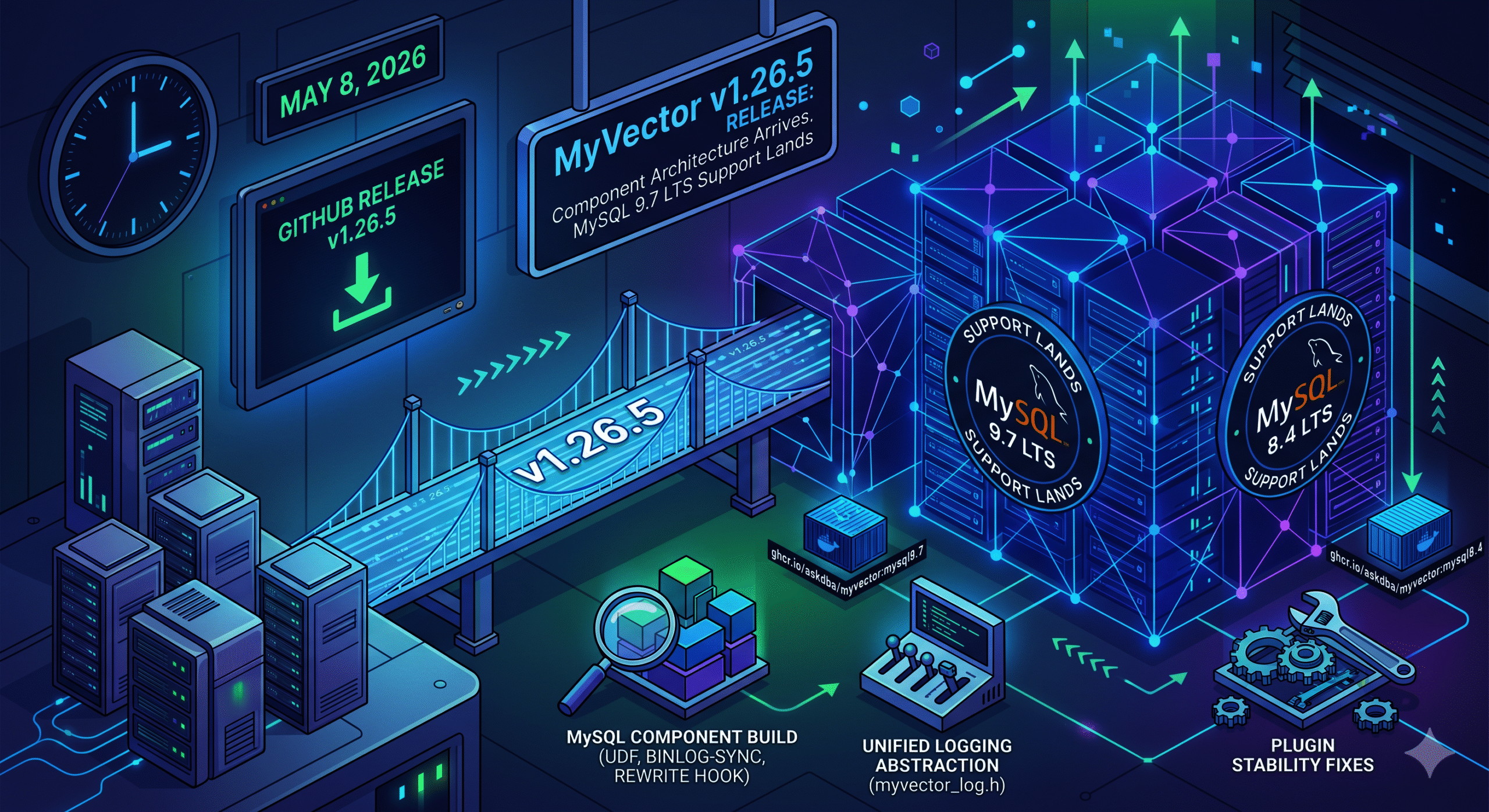
MySQL 9.7 LTS Support Lands Released May 8, 2026 · GitHub Release

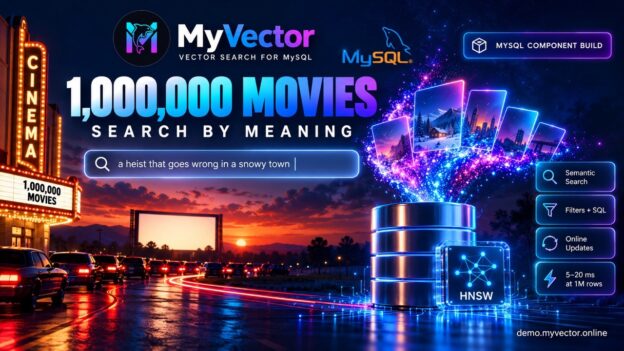
v1.26.5 introduces a MySQL Component build for MySQL 8.4 LTS and 9.7 LTS, a unified logging abstraction, and a set of plugin stability fixes. The plugin path for MySQL 8.0, 8.4, and 9.0 is unchanged.

Why the Component architecture matters

MySQL has been deprecating the legacy plugin API in favor of the Component architecture since 8.0. Components install via INSTALL COMPONENT, integrate through typed service interfaces, and are better isolated from server internals — meaning fewer breakages across MySQL minor versions and a supported path forward as the plugin API winds down. For MyVector, this move isn’t optional in the long run: the component model is where MySQL’s extension ecosystem is heading, and building on it now means users on 8.4 LTS and 9.7 LTS get a stable, upgrade-resilient foundation rather than a deprecated one.

What’s New

MySQL Component build. MyVector can now be installed via INSTALL COMPONENT on MySQL 8.4 and 9.7. The component ships UDF registration, binlog-driven index synchronization, and a query rewrite service hook — all backed by the same core vector index engine as the plugin. A new myvector_log.h abstraction unifies logging across both build modes, replacing scattered #ifdef blocks.

MySQL 9.7 LTS. The 9.x CI, release, and Docker targets move from 9.6 to 9.7 LTS. A new Docker image tag ghcr.io/askdba/myvector:mysql9.7 is now available. If you’re on :mysql9.6, switch to :mysql9.7.

Plugin stability fixes. gmtime() and asctime() replaced with their thread-safe _r variants; concurrency fixes in plugin init/deinit; null-guard added to myvector_ann_set row function. Also: config file permission hardening, a binary_log namespace conflict fix on 8.4/9.7, and a Quick Start wget URL correction (issue #89).

How to Install

Component — pre-built binaries (Linux amd64) are attached to this release:

bash

tar -xzf myvector-component-mysql8.4.8-linux-amd64.tar.gz
cp libmyvector_component.so $(mysql_config --plugindir)/
mysql -u root -p -e "INSTALL COMPONENT 'file://libmyvector_component';"

Also available: myvector-component-mysql9.7.0-linux-amd64.tar.gz and checksums.txt. To build from source, use scripts/build-component-8.4-docker.sh or scripts/build-component-9.7-docker.sh.

Plugin — Docker or build from source. Pre-built plugin .so files are not on the release page. Use Docker (multi-arch, amd64 + arm64):

bash

docker pull ghcr.io/askdba/myvector:mysql8.4 # or :mysql8.0, :mysql9.7

Or build from source with scripts/build-release.sh (requires MySQL dev headers).

Upgrade Notes

  • No schema or index migration required.
  • Docker tag change: :mysql9.6:mysql9.7.
  • The component path is the forward path for MySQL 8.4+. The plugin remains supported for 8.0/8.4/9.0 through their EOL dates.
  • Windows is not supported — use Linux container images.

See docs/BUILD_MODES.md and docs/COMPONENT_MIGRATION_PLAN.md for migration guidance. Bugs and feedback welcome on GitHub Issues.

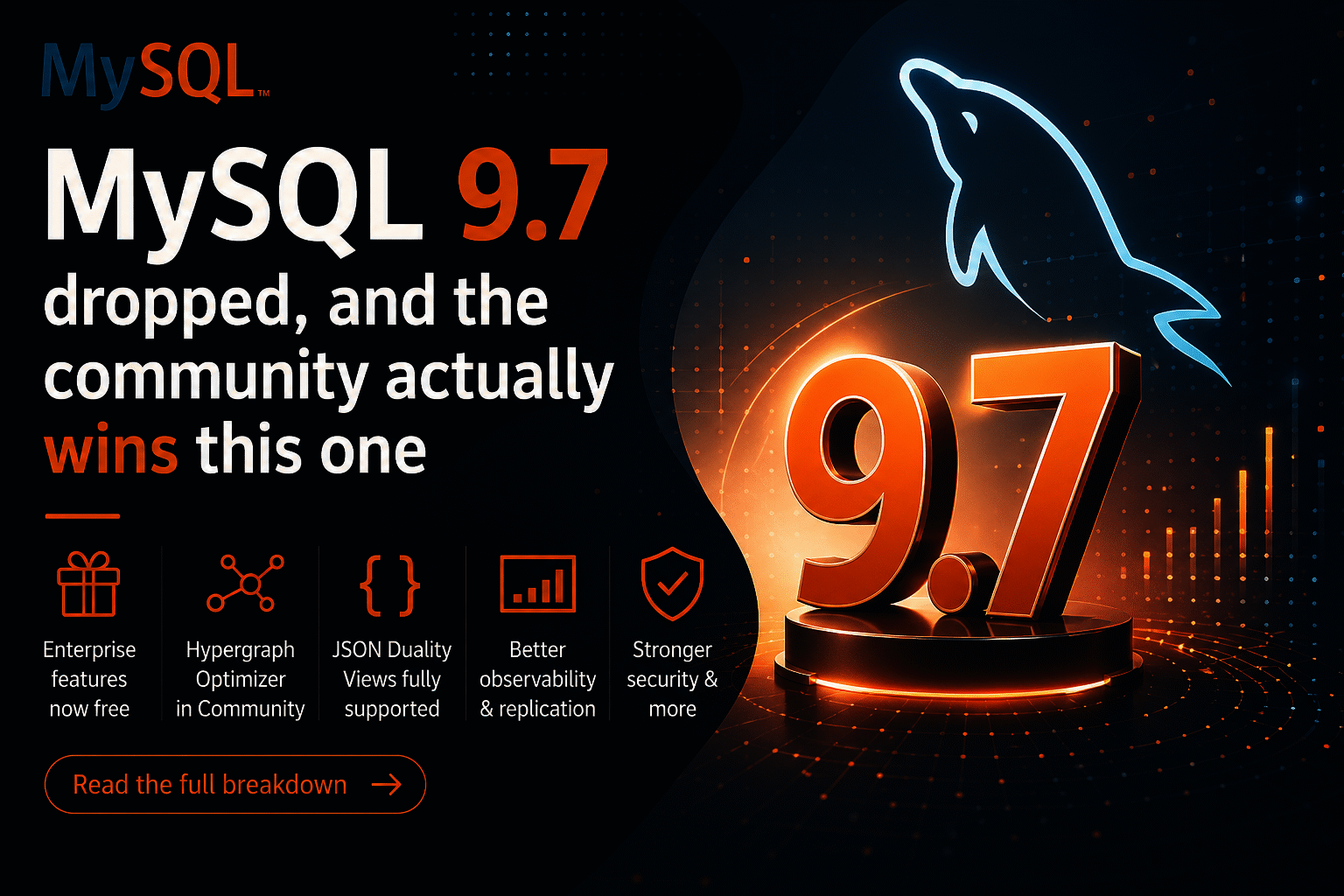
MySQL 9.7 is out and the community wins 

May 2026 · 5 min read. Alkin Tezuysal

Cross blog from Oracle https://blogs.oracle.com/mysql/mysql-9-7-is-out-and-the-community-wins

MySQL 9.7 came out on April 21 and I’ve been going through the release notes so you don’t have to. The short version: Oracle has made several previously Enterprise-only features available in the Community Edition; the Hypergraph Optimizer is now free for everyone; and if you’re still on MySQL 8.0, it has reached End-of-Life. Like right now. We’ll get to that.

Let’s go through what matters most.

First: MySQL 8.0 has reached End-of-Life

MySQL 8.0.46 shipped alongside 9.7, and it is the last 8.0 release. As of April 2026, 8.0 is officially End-of-Life. No more security patches. No more bug fixes. Oracle’s release notes now encourage users to upgrade to MySQL 8.4 LTS or 9.7.

If you’re on 8.0 in production, you’ve got two paths. MySQL 8.4 LTS is the safest, most conservative upgrade with a well-trodden migration path from 8.0. MySQL 9.7 is if you want all the new stuff, including everything in this post. Either way, the clock has run out on 8.0. It is strongly recommended to plan your upgrade soon.

Some Enterprise features available in the Community Edition

This is the headline. Oracle has moved five components from Enterprise Edition into Community Edition with this release. For self-hosted MySQL users, this is genuinely good news.

Four of them are replication components that now ship in Community Edition.

Replication Applier Metrics gives you real visibility into how your replica is processing events. Lag monitoring, throughput, the works. This was always the kind of thing you had to implement separately or access the Enterprise Edition.

Group Replication Flow Control Statistics now provides visibility into why your GR cluster is throttling. If you’ve ever stared at a slow cluster and had no idea what was happening under the hood, this one’s for you.

Group Replication Resource Manager lets you control how resources get allocated so replication stops starving your app workloads.

Group Replication Primary Election gives better observability into failover behavior during primary elections, which is exactly when you most need to know what’s going on.

And then there’s the Telemetry component, which is big if you’re running MySQL in a cloud-native setup. Metrics and traces can now flow to Prometheus, OpenTelemetry, and whatever else your observability stack includes. This was Enterprise-only until today.

The Hypergraph Optimizer is in Community Edition now

This is the one that stands out as particularly impactful.

Quick background: MySQL’s traditional query optimizer uses a left-deep tree approach to figure out join order. Works fine for simple queries, but with complex multi-table joins it can miss a lot of better execution plans. The Hypergraph Optimizer takes a completely different approach. It models the whole query as a hypergraph and uses dynamic programming to search a much bigger space of possible plans.

If you’ve got complex reporting queries or anything with a lot of joins, it’s worth turning on and seeing what happens.

To try it:

SET optimizer_switch=’hypergraph_optimizer=on’;

You can set it at session scope (great for testing), globally, persistently across restarts, or hint it on a per-query basis. Start with session scope on your actual slow queries before you go global. The optimizer is solid, but you don’t want surprises in production.

JSON Duality Views are now fully supported in Community

Previously, in Community Edition, you could define JSON Duality Views, but couldn’t do INSERTs, UPDATEs, or DELETEs through them. That was an Enterprise thing. This capability is now available in Community Edition. Full DML is now in Community.

They also added auto-increment support for duality view inserts, which means you can stop manually wiring up primary keys:

INSERT INTO orders_view

VALUES (‘{“customer_id”: 42, “product_id”: 7, “quantity”: 3}’);

The order_id gets generated automatically. Small change, but it removes a real friction point if you’ve been experimenting with duality views.

A few other things worth knowing

Password hashing got stronger.caching_sha2_password now supports PBKDF2 with SHA-512 storage format. Your existing clients don’t need to change anything since this is server-side only, but it makes stored hashes significantly harder to brute-force. Worth noting if you’re in a compliance-heavy environment like PCI-DSS or HIPAA.

Rolling upgrades just got easier. There’s a new variable called replica_allow_higher_version_source that lets a lower-version replica connect to a higher-version primary. Practically, this means you can upgrade your primary first, verify everything looks good, and then roll through your replicas at your own pace instead of taking the whole fleet down at once.

Container users, this one’s for you. MySQL now correctly reads cpuset cgroup limits to figure out how many CPUs are actually available to it. If you’d constrained MySQL to 4 CPUs in Kubernetes, it might have been sizing its thread pools against all 32 host CPUs anyway. That’s fixed.

OpenSSL got bumped to 3.5.5. Not exciting, but good hygiene.

What about Vector search?

A lot of people are asking about this, and the current status is that it is not yet generally available. Oracle is clearly building toward native vector search across the 9.x innovation releases, and you can see pieces of the foundation being put in place. But 9.7 isn’t the release where it lands as something you can use. It’s on the roadmap, it’s coming, the team is looking for feedback, and it is expected in future releases.  As some of you know, I’m especially interested in vector features as a maintainer of the MyVector project. We’ve had a couple of calls with the engineering team to collaborate on this subject. This might be an area for community contributions. Please stay tuned. 

So, should you upgrade?

Your situationWhat to do
Still on MySQL 8.0Upgrade. It’s EOL. Pick 8.4 LTS or 9.7.
On 8.4 LTS, happy where you areNothing urgent. Track 9.7 for the LTS landing.
Running Group ReplicationTry the new components.
Complex JOIN-heavy queriesBenchmark the Hypergraph Optimizer.
Running MySQL in KubernetesThe cgroup CPU fix alone might be worth it.
Excited about vector searchNot yet. Watch this space.


MySQL 9.7 is available at dev.mysql.com/downloads. If you end up benchmarking the Hypergraph Optimizer or trying the new replication components, share your results. The community learns from real-world numbers a lot more than from release notes. Drop them in the MySQL Community Forums or tag #MySQL97.

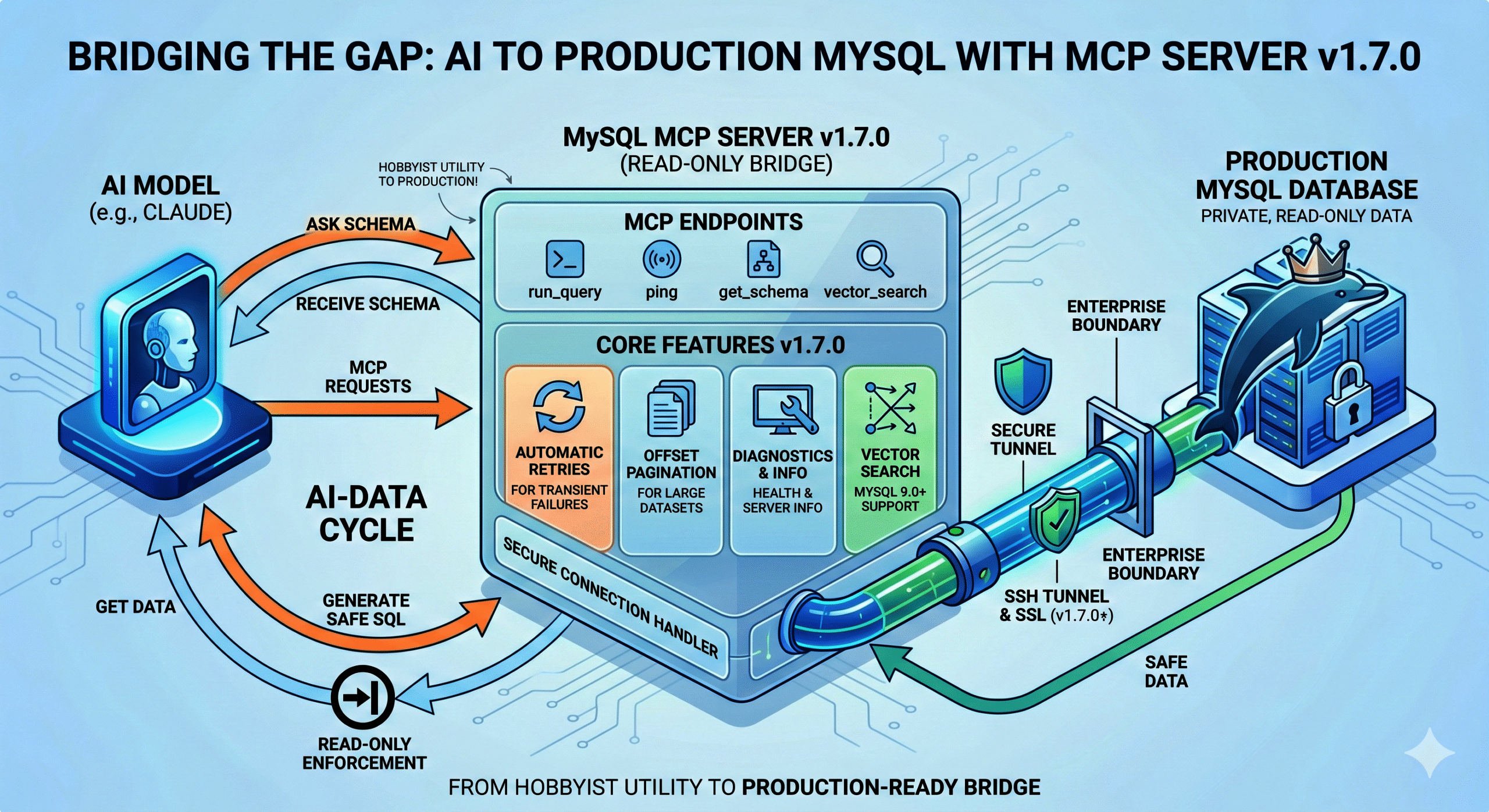
MySQL MCP Server v1.7.0 is out

April 19, 2026

It took three release candidates and more CI tweaks than I’d like to admit, but v1.7.0 is finally tagged GA. Here’s what actually changed and why it matters.


The thing I kept getting asked about: add_connection

Almost every multi-database user hits the same wall: you configure your connections at startup, and that’s it. Want to point Claude at a different instance mid-session? Restart the server. Not great.

add_connection fixes that. Enable it with MYSQL_MCP_EXTENDED=1 and MYSQL_MCP_ENABLE_ADD_CONNECTION=1, and Claude can register a new named connection on the fly — DSN validation, duplicate-name rejection, and a hard block on the root MySQL user all happen before the connection is accepted. Once it’s in, use_connection it works as usual.

It’s intentionally opt-in behind two flags. Allowing an AI client to register arbitrary database connections at runtime warrants an explicit “yes, I want this” from the operator.


Finding stuff across a big schema: search_schema and schema_diff

Two tools I personally felt the absence of every time I was debugging a large schema.

search_schema does what it sounds like — pattern-match against table and column names across all accessible databases. Before this, you’d either write the query yourself or ask Claude to guess where a column lived. Now you just ask.

schema_diff is the one I’m more excited about. Point it at two databases, and it tells you what’s structurally different. Columns that exist in staging but not prod, type mismatches, missing indexes — all surface immediately. We’ve already caught more than a few “oh, that migration never ran” moments with it.


Pagination, retries, and the unglamorous stuff

run_query now supports an offset parameter for SELECT and UNION queries, returning has_more and next_offset in the response. Big result sets no longer mean hitting row caps and wondering what you missed.

Retries got a proper implementation too. Transient errors — bad pooled connections, deadlocks, lock wait timeouts — now trigger exponential backoff instead of just failing. After a driver.ErrBadConn the pool is re-pinged, which cuts recovery time noticeably after a MySQL restart.

Neither of these is flashy, but they’re the kind of thing that makes the tool feel solid rather than fragile.


Column masking

Set MYSQL_MCP_MASK_COLUMNS=email,password,ssn and those columns are redacted in every run_query response. Nothing leaves the server. No query rewrites, no application changes. It’s a small feature that a few teams have been asking for since before v1.6.


One breaking change worth knowing about: SSH host key verification

This one could bite you on upgrade if you’re using SSH tunnels. Host key verification is now on by default. The tunnel checks ~/.ssh/known_hosts (or MYSQL_SSH_KNOWN_HOSTS, or a pinned MYSQL_SSH_HOST_KEY_FINGERPRINT) before allowing the connection.

If you were running without strict host key checking, your tunnel will fail after upgrading until you either add the host key to known_hosts or explicitly opt out with MYSQL_SSH_STRICT_HOST_KEY_CHECKING=false. The opt-out exists, but it’s a MITM risk — the default is the right behavior.


Upgrading

# Homebrew
brew update && brew upgrade mysql-mcp-server
# Docker
docker pull ghcr.io/askdba/mysql-mcp-server:latest

Full changelog: github.com/askdba/mysql-mcp-server/releases/tag/v1.7.0

Questions and issues are welcome on GitHub.

v1.26.3

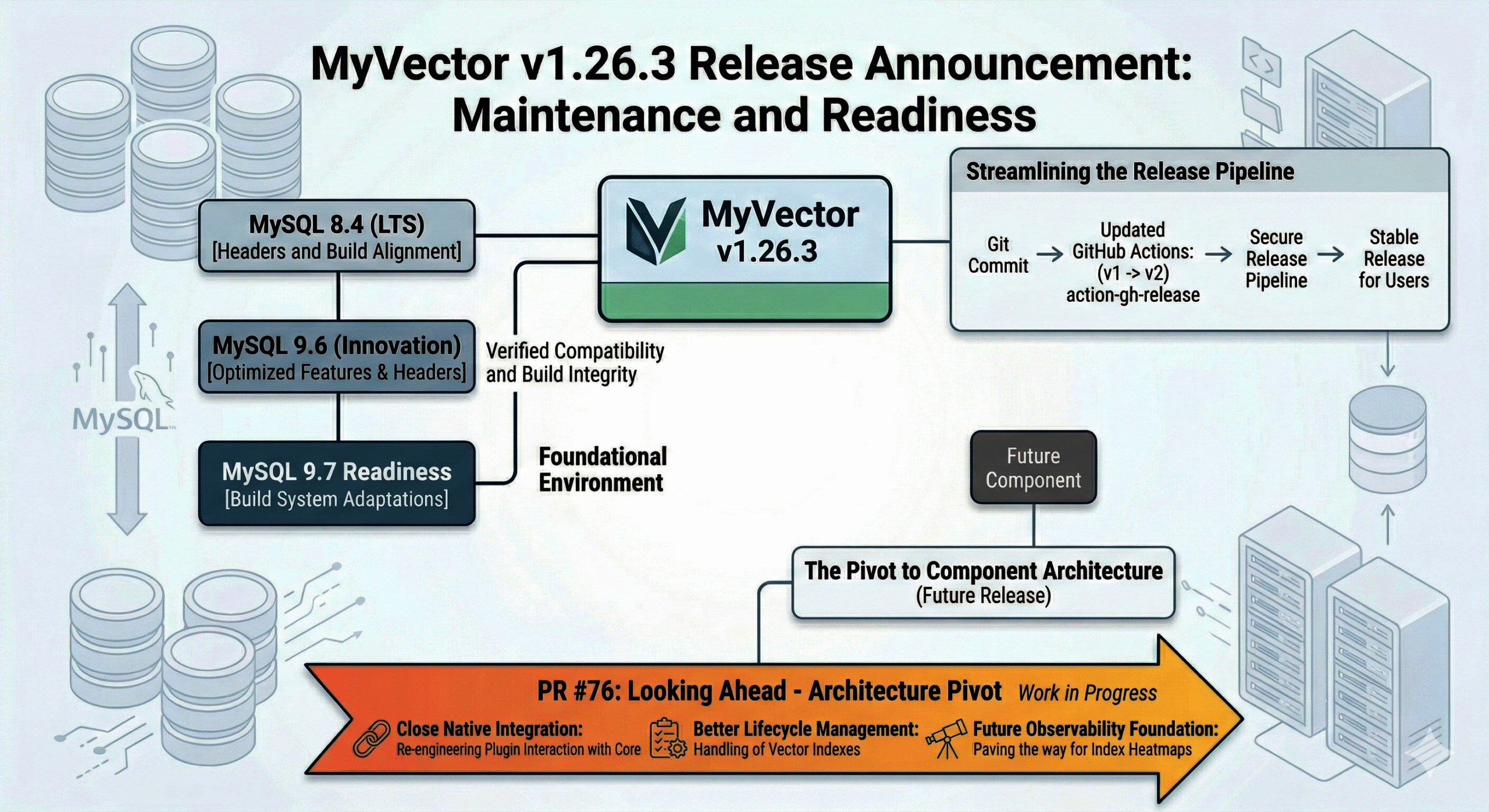
MyVector v1.26.3: Maintenance, CI, and Readiness for MySQL 9.7


In my recent series on Scoped Vector Search, we looked at the query patterns that make vector search a first-class citizen in MySQL. While the logic for those searches is now established, the infrastructure supporting them requires constant attention as the MySQL ecosystem moves toward its new release model.

Today, I’m announcing MyVector v1.26.3. This is a foundational release focused on environment compatibility and CI/CD robustness.

What’s in v1.26.3?

This release ensures that MyVector remains stable and buildable across the shifting landscape of MySQL Innovation and LTS releases.

  • MySQL 8.4 & 9.6 Compatibility: We’ve updated the component sources and build logic to align with the headers and requirements for MySQL 8.4 (LTS) and the 9.6 Innovation release.
  • Ready for 9.7: The build system has been adapted to handle the upcoming 9.7 release, ensuring that users can transition to the next Innovation branch without delay.
  • Modernized Release Workflow: We’ve bumped our GitHub Actions (softprops/action-gh-release) from v1 to v2. While invisible to the user, this ensures our release pipeline remains secure and compatible with the latest GitHub runner environments.

Think of v1.26.3 as the “maintenance and readiness” layer that ensures the high-performance HNSW search you rely on continues to compile and run perfectly on the newest versions of MySQL.

Looking Ahead: The Architecture Pivot (PR #76)

While v1.26.3 keeps us current, the real excitement is happening in the lab.

There is a fundamental architecture change currently in development under Component migration (8.4–9.6) and release workflow update.

Unlike the compatibility fixes in today’s release, PR #76 is a structural overhaul. We are re-engineering how the plugin interacts with the MySQL core. This shift is designed to move MyVector closer to a full Component Architecture, which will eventually offer better lifecycle management and even deeper integration with MySQL’s internal services.

This is a significant pivot in how MyVector is built, and it will set the stage for the next generation of vector performance and observability.

Summary

v1.26.3 is the stable, verified update you need for today’s MySQL 8.4/9.6 environments and tomorrow’s 9.7 upgrade. Meanwhile, work continues on the architectural evolution that will define the future of the project.

Scoped Vector Search with the MyVector Plugin for MySQL — Part III

From Concepts to Production: Real-World Patterns, Query Plans, and What’s Next

In Part I, we introduced scoped vector search in MySQL using the MyVector plugin, focusing on how semantic similarity and SQL filtering work together.

In Part II, we explored schema design, embedding strategies, HNSW indexing, hybrid queries, and tuning — and closed with a promise to show real-world usage and execution behavior.

This final part completes the series.


Semantic Search with Explicit Scope

In real systems, semantic search is almost never global. Results must be filtered by tenant, user, or domain before ranking by similarity.

SELECT id, title
FROM knowledge_base
WHERE tenant_id = 42
ORDER BY
myvector_distance(embedding, ?, 'COSINE')
LIMIT 10;

This follows the same pattern introduced earlier in the series:

  • SQL predicates define scope
  • Vector distance defines relevance
  • MySQL remains in control of execution

Real-Time Document Recall (Chunk-Based Retrieval)

Document-level embeddings are often too coarse. Most AI workflows retrieve chunks.

SQL
SELECT chunk_text
FROM document_chunks
WHERE document_id = ?
ORDER BY
myvector_distance(chunk_embedding, ?, 'L2')
LIMIT 6;

This query pattern is commonly used for:

  • Knowledge-base lookups
  • Assistant context retrieval
  • Pre-RAG recall stages

Chat Message Memory and Re-Ranking

Chronological chat history is rarely useful on its own. Semantic re-ranking allows systems to recall relevant prior messages.

SQL
SELECT message
FROM chat_history
WHERE session_id = ?
ORDER BY
myvector_distance(message_embedding, ?, 'COSINE')
LIMIT 8;

The result set can be fed directly into an LLM prompt as conversational memory.


Using MyVector in RAG Pipelines

MyVector integrates naturally into Retrieval-Augmented Generation workflows by acting as the retrieval layer.

SQL
SELECT id, content
FROM documents
WHERE MYVECTOR_IS_ANN(
'mydb.documents.embedding',
'id',
?
)
LIMIT 12;

At this point:

  • Embeddings are generated externally
  • Retrieval happens inside MySQL
  • Generation happens downstream

No additional vector database is required.


Query Execution and Fallback Behavior

ANN Execution Path (HNSW Enabled)

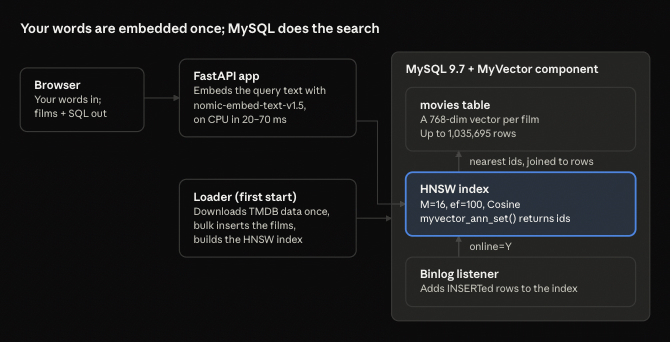
Once an HNSW index is created and loaded, MySQL uses the ANN execution path provided by the plugin.
Candidate IDs are retrieved first, followed by row lookups.

This behavior is visible via EXPLAIN.


Brute-Force Fallback (No HNSW Index)

When no ANN index is available, MyVector falls back to deterministic KNN evaluation.

SQL
SELECT id
FROM documents
ORDER BY
myvector_distance(embedding, ?, 'L2')
LIMIT 20;

This results in a full scan and sort — slower, but correct and predictable.

Understanding this fallback is critical for production sizing and diagnostics.


Project Update: MyVector v1.26.1

The project continues to move quickly.

MyVector v1.26.1 is now available, introducing enhanced Docker support for:

  • MySQL 8.4 LTS
  • MySQL 9.0

This release significantly improves:


Stop Moving Data — Start Searching It Where It Lives

Across all three parts, the conclusion is consistent:

Vector search does not require a separate database.

With MyVector, you can:

  • Keep data in MySQL
  • Apply strict SQL scoping
  • Use ANN when available
  • Fall back safely when it isn’t

All with observable execution plans and predictable behavior.


Join the Community

Development happens in the open:

Feedback and contributions are welcome.


Next Up: Powering AI-Ready MySQL — When MyVector Meets ProxySQL

The next step is production architecture.

In the next post, we’ll explore:

  • Integrated MCP Server
  • Improved Full Text Search operations
  • Routing vector-heavy queries with ProxySQL
  • Isolating ANN workloads from OLTP traffic
  • Designing AI-ready MySQL deployments that scale safely

MyVector brings semantic search into MySQL.
ProxySQL helps it run at scale.

Stay tuned…